
The Baird Online Dashboard
Explore Baird Online, where your investment insights come together in one smart, streamlined dashboard built around your financial goals.

Recommended Plan Probability
The Recommended Plan Probability gauge provides clients with a simple visual indicator showing how likely they are to achieve their financial goals based on their current plan.

Portfolio Summary
At the top of the dashboard shows the client’s portfolio summary including total portfolio value, daily change, and available cash and cash equivalents.

Market Value History
The Market Value History chart helps clients visualize how their portfolio’s total market value has evolved over time using selectable date ranges.

Quick Actions
Quick Actions give clients convenient one-click access to common tasks like linking external accounts, making transfers, and viewing or uploading documents.

Recent Activity
The Recent Activity component shows a chronological snapshot of the latest transactions across a client’s accounts—including deposits, dividends, distributions, and trades—helping clients quickly review what’s happened recently and understand near‑term changes to their portfolio.

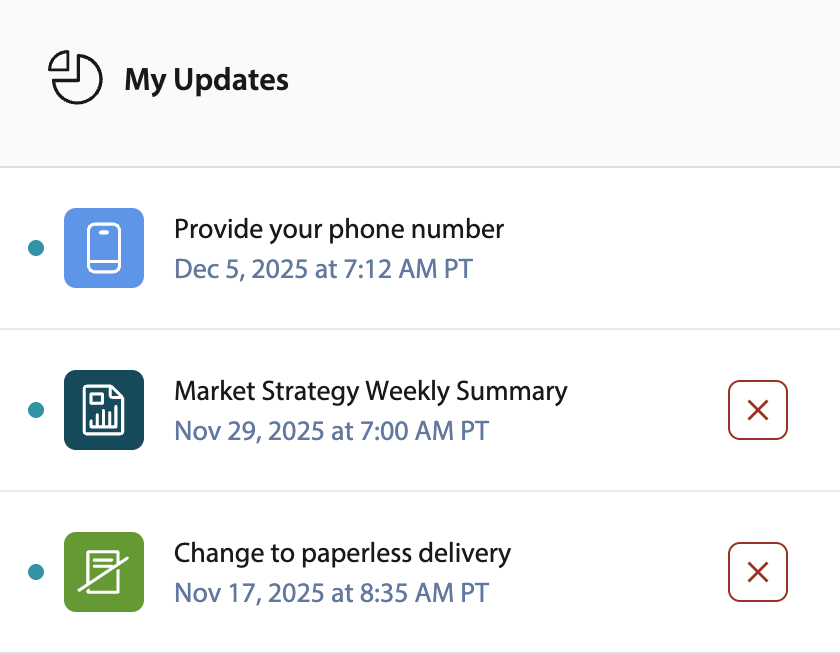
My Updates
My Updates is a personalized notification and alert area within Baird Online that surfaces timely, relevant updates related to a client’s accounts and advisor team communications.
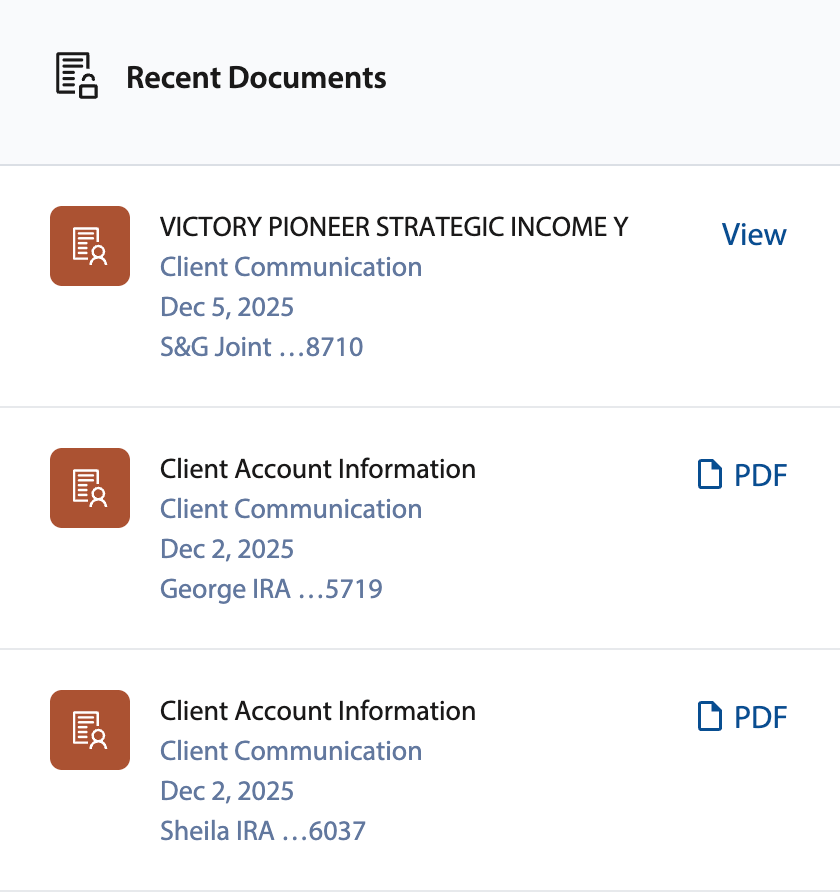
Recent Documents
Recent Documents shows a list of the client’s most recently added or updated documents right on their dashboard, helping them quickly access items without searching through folders.
Watchlist
Watchlist gives clients easy access to search and add securities to a customized list for streamlined monitoring. It displays key data like current price and daily performance at a glance, helping clients stay on top of market shifts.

My Portfolio
My Portfolio displays a list of all the client’s accounts and account groups with current balances, daily changes, and quick action buttons, allowing them to review and manage their individual accounts directly from the dashboard.

My Team
My Team gives clients direct access to their Baird advisor team, including appointment scheduling, secure document sharing, and messaging.

Asset Allocation
The Asset Allocation chart shows clients how their investments are distributed across asset classes in a clear, visual breakdown. This helps clients understand diversification and how their portfolio is positioned.

What's New
What’s New showcases the latest Baird Online updates, feature highlights, and guided tours to help clients stay informed and discover new ways to use the portal.

Portfolio Performance
Track how your portfolio has performed over time using interactive charts. You can review short‑ and long‑term trends to better understand market movement and progress toward your goals.

My Net Worth
My Net Worth provides a consolidated view of the client’s overall financial picture, including eligible accounts beyond Baird when linked via 360 Wealth. This provides a more complete understanding of their total wealth.
